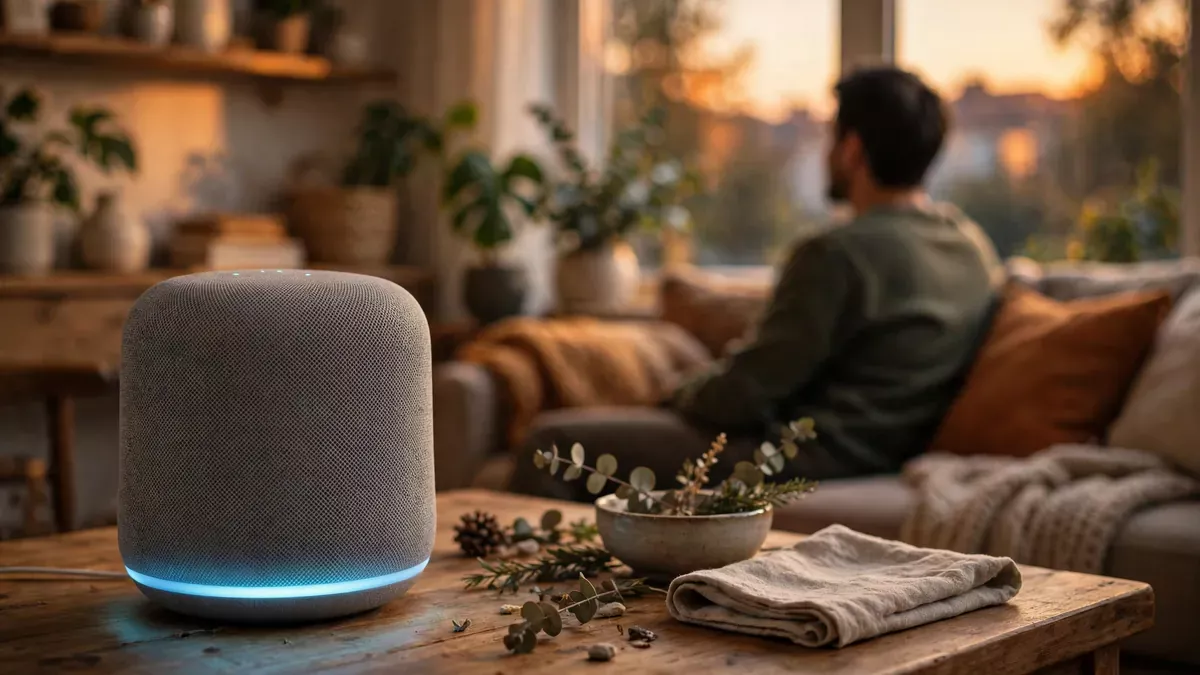
You are cooking dinner, your hands covered in flour, and you say “Alexa, set a timer for ten minutes” from across the kitchen. The speaker, sitting on the counter fifteen feet away, hears you perfectly, over the sizzling pan, the running faucet, and the music playing from its own speaker. How?
It feels like the speaker has superhuman hearing. In reality, it is a combination of multiple microphones, clever signal processing, and a small amount of artificial intelligence running on the device itself. Understanding how it works also explains why it sometimes gets things wrong, and what it means for your privacy.
The short answer is this: a smart speaker uses an array of six or seven microphones to capture sound from all directions, combines their signals using a technique called beamforming to focus on your voice and suppress background noise, subtracts its own audio output through echo cancellation, and listens locally for a wake word before sending anything to the cloud. The result is far-field voice recognition that works from across a room, even while music is playing.
Key Takeaways
- Smart speakers use a circular array of six or seven microphones, which allows them to determine the direction of a sound and focus on the speaker.
- Beamforming combines the signals from multiple microphones to amplify sound from one direction and suppress noise from other directions. It is the key to hearing you from across the room.
- Echo cancellation subtracts the speaker’s own audio output from the microphone input, so the device can hear your voice even while it is playing music or speaking.
- The device is always listening for the wake word (“Alexa,” “Hey Google,” “Hey Siri”), but wake word detection happens locally on the device. Audio is only sent to the cloud after the wake word is detected.
- False activations happen: the device sometimes mishears a similar-sounding word as the wake word and starts recording. You can review and delete your voice recordings in the app settings.
- Every major smart speaker has a physical mute button that electronically disconnects the microphones. When muted, the device cannot hear anything at all.
Table of Contents
The microphone array and beamforming
A single microphone, like the one in your phone, can hear you clearly when you hold it close to your mouth, but it struggles at a distance. Sound weakens as it travels, and background noise becomes relatively louder. A smart speaker solves this problem by using multiple microphones working together.
Most smart speakers have six or seven microphones arranged in a circle on top of the device. Each microphone captures the same sound, but from a slightly different position and at a slightly different time. Sound travels at about 1,125 feet per second, so a voice coming from one side of the room reaches the nearest microphone a fraction of a millisecond before it reaches the farthest one. By measuring these tiny time differences, the device can calculate the direction the sound is coming from.
Beamforming uses this directional information to focus on your voice. The device combines the signals from all the microphones, delaying some and amplifying others, to create a virtual “beam” pointed toward you. Sound from your direction is amplified; sound from other directions is suppressed. The effect is similar to cupping your hand behind your ear to hear someone in a noisy room, except that the speaker can do it electronically, in real time, and can steer the beam to follow you as you move around the room.
Beamforming is not unique to smart speakers. It is used in hearing aids, conference room microphones, sonar, radar, and radio antennas. The principle is the same in all cases: combine signals from multiple sensors to focus on a specific direction.
The practical result is that a smart speaker can hear and understand you from 15 to 20 feet away in a quiet room, and from 8 to 10 feet away with moderate background noise. The exact range depends on the room acoustics, the volume of your voice, and the amount of background noise. Hard surfaces (tile, hardwood) reflect sound and make it harder for the speaker to isolate your voice; soft furnishings (carpet, curtains) absorb reflections and improve performance.
The wake word: always listening, rarely recording
The most common privacy concern about smart speakers is that they are “always listening.” This is true, but it needs qualification: the device is always listening for the wake word, but it is not always recording or sending audio to the cloud.
Wake word detection is performed by a small neural network model that runs locally on the device’s processor. The model is trained to recognize the specific sound pattern of the wake word (“Alexa,” “Hey Google,” “Hey Siri”). It continuously analyzes the audio from the microphones, but it discards the audio immediately unless it detects the wake word. The audio is processed in a short rolling buffer, typically a few seconds long, and is overwritten continuously.
Only when the wake word is detected does the device “wake up”: it starts recording, sends the audio to the cloud for processing, and lights up to indicate that it is listening. The recording includes a brief buffer of audio from just before the wake word, typically less than a second, to ensure that the beginning of your request is not cut off.
The wake word model is designed to be conservative: it should only trigger on the actual wake word, not on similar-sounding words. But it is not perfect. False activations occur when the device mishears a word or phrase that sounds similar to the wake word. Common triggers include words that rhyme with “Alexa” (such as “Alexis” or “election”) or phrases that contain similar sounds. Studies have documented hundreds of words that can accidentally trigger smart speakers.
When a false activation occurs, the device records a few seconds of audio and sends it to the cloud before realizing that no valid command followed. This audio is stored on the company’s servers, along with your intentional recordings, unless you delete it. You can review all your recordings in the companion app (Alexa app, Google Home app) and delete individual recordings or all recordings at once.
What happens after you say the wake word
Once the wake word is detected, the device sends the audio of your request to the cloud, where it is processed in several stages.
First, automatic speech recognition (ASR) transcribes the audio into text. This is done by a large neural network model trained on millions of hours of speech. The model accounts for accents, speaking speed, background noise, and context. Modern ASR systems have word error rates below 5 percent for clear speech in quiet conditions, though the error rate increases significantly with background noise, accents, or unusual words.
Second, natural language understanding (NLU) determines what you want. The system analyzes the transcribed text to identify your intent (what action you want) and the entities (the specific details). For example, if you say “set a timer for ten minutes,” the intent is “set timer” and the entity is “ten minutes.” If you say “what is the weather in Chicago tomorrow,” the intent is “weather query” and the entities are “Chicago” and “tomorrow.” The system uses large language models, trained on vast amounts of text, to handle ambiguity, context, and variations in phrasing.
Third, the system executes the action. For simple requests (timers, alarms, volume control), the action is performed locally or by the cloud service. For complex requests (playing music, answering questions, controlling smart home devices), the system calls the appropriate service or API. The response is then converted from text to speech using text-to-speech (TTS) synthesis, and the audio is sent back to the speaker to be played.
The entire process, from the end of your spoken request to the beginning of the response, typically takes one to two seconds. The speed is remarkable, given that it involves audio transmission to a data center, transcription, language understanding, action execution, and speech synthesis.
Why it sometimes gets it wrong
Despite the sophisticated technology, smart speakers frequently misunderstand requests, and the reasons reveal the limits of current voice recognition.
Accents and dialects are a major challenge. Speech recognition models are trained primarily on standard American English, and they perform less accurately on regional accents, non-native speakers, and dialects. A study by Stanford researchers found that speech recognition systems had significantly higher error rates for Black speakers than for white speakers, reflecting a bias in the training data. The gap has narrowed as training datasets have become more diverse, but it has not disappeared.
Background noise is another challenge. Beamforming and noise suppression can reduce background noise, but they cannot eliminate it entirely. A television playing in the same room, multiple people talking at once, or a loud appliance can confuse the system. The speaker may mishear your words, or it may fail to detect the wake word at all.
Ambiguity is a third challenge. Human language is full of ambiguity: “play the Beatles” could mean play a specific song, an album, or a playlist. “Turn off the lights” could refer to all the lights or just the ones in the current room. Smart speakers use context (your location, your history, the time of day) to disambiguate, but they often guess wrong. The system may ask a clarifying question, or it may execute the wrong action.
Finally, smart speakers have no common sense. They do not understand the world in the way humans do; they match patterns in text. A request that is perfectly clear to a human (“remind me to water the plants when I get home”) may confuse a smart speaker, because it requires understanding concepts like “when I get home” (a location-based trigger) and “the plants” (a specific object). The system may set a reminder for the wrong time, or it may fail to understand the request entirely.
Privacy: what you can control
If you use a smart speaker, there are several steps you can take to protect your privacy.
First, review and delete your voice recordings regularly. In the Alexa app, go to Settings, then Alexa Privacy, then Review Voice History. You can listen to individual recordings, delete them, or delete all recordings at once. You can also set recordings to auto-delete after 3 months or 18 months. In the Google Home app, go to Settings, then Privacy, then Google Account, then Data and Privacy, then Web and App Activity. You can review, delete, and set auto-delete for your voice recordings.
Second, use the physical mute button when you do not want the device to listen. The mute button electronically disconnects the microphones. When the device is muted, it cannot hear the wake word or anything else. The mute button is a hardware switch, not a software setting, so it cannot be overridden remotely. A red light indicates that the microphone is muted.
Third, be mindful of where you place the speaker. Avoid placing it in bedrooms or other private spaces where sensitive conversations occur. Place it in common areas (kitchen, living room) where the conversations are less likely to contain sensitive information.
Fourth, review the permissions you have granted to third-party skills or actions. Smart speaker skills (Alexa Skills, Google Actions) can access your data, including your location, your contacts, and your smart home devices. Review the skills you have enabled and disable any you no longer use.
Fifth, consider whether you need a smart speaker at all. If the privacy risks outweigh the convenience for you, a traditional speaker and a phone timer may serve you just as well. The decision is personal, and there is no right answer. The important thing is to make it informed.
Frequently asked questions
Is my smart speaker recording everything I say? No. The device listens locally for the wake word, and only sends audio to the cloud after the wake word is detected. However, false activations do occur, and the device may record brief snippets of conversation when it mishears a similar-sounding word. You can review and delete all recordings in the app.
Can I change the wake word? Yes, to a limited extent. Alexa devices allow you to choose from several wake words: Alexa, Amazon, Echo, Computer, or Ziggy. Google devices allow “Hey Google” or “OK Google.” Apple devices use “Hey Siri” or “Siri.” You cannot set a custom wake word.
Why does my smart speaker sometimes respond when no one said the wake word? This is a false activation. The device misheard a word or phrase that sounds similar to the wake word. Common triggers include television dialogue, radio, or conversation that contains similar sounds. If false activations are frequent, try moving the speaker away from the television or changing the wake word to one that is less likely to be triggered accidentally.
Does the smart speaker work without an internet connection? Mostly no. The wake word detection works offline, but speech recognition, language understanding, and most actions require a cloud connection. Some basic functions, such as setting a timer or adjusting the volume, may work offline on newer devices with on-device processing, but most features require internet access.
Can two smart speakers in the same room interfere with each other? Yes, though the devices are designed to minimize interference. When you say the wake word, the nearest device typically responds, and the other devices suppress their response. This is called echo spatial perception (ESP) on Alexa devices. If you have multiple speakers in the same room, they should coordinate to avoid duplicate responses, though this does not always work perfectly.
Sources and further reading
- Federal Trade Commission: ftc.gov: consumer guidance on smart devices, voice assistants, and protecting your privacy at home.
- National Institute of Standards and Technology: nist.gov: research on speech recognition, voice biometrics, and the accuracy of voice systems.
- Federal Communications Commission: fcc.gov: information on wireless devices, radio frequency emissions, and consumer rights.
For more on how the devices and networks around you work, see how the internet and your devices actually work. Account security is covered in what is two factor authentication, and smart home costs in why your smart home devices cost more to run than you think. Our Tech & Security section covers more of it.
This article is for general educational and informational purposes only and is not financial, legal, insurance, tax, or medical advice. Always consult a qualified professional regarding your specific situation.